
One photo. Take the mic.

AI Rap Video Generator

Turn your portrait into a solo rap performance. Set the scene, shape the movement, and create a short clip with optional generated audio.

Create my rap videoExplore rap styles
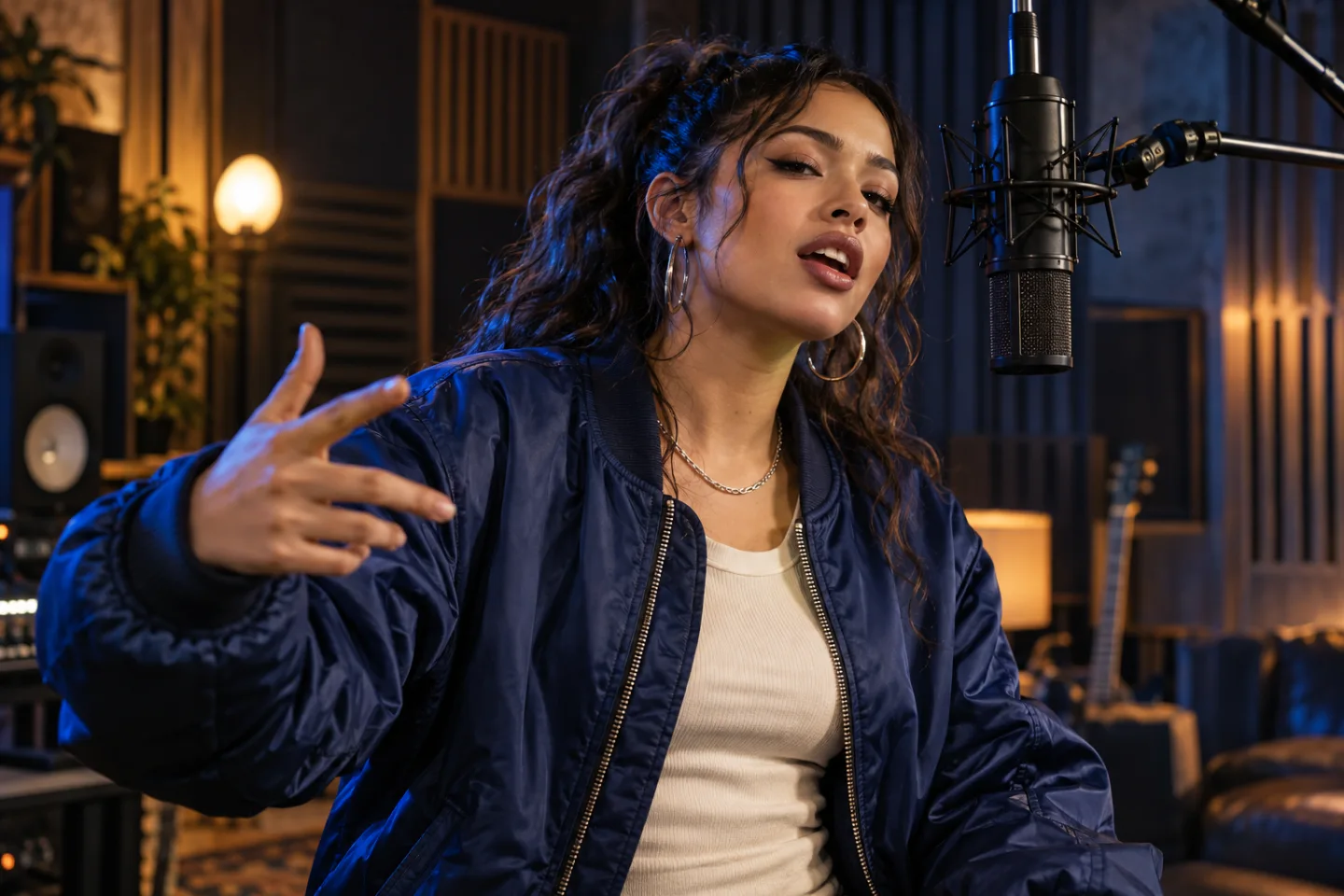
A fictional solo rapper performing into a microphone in a blue-lit recording space.
AI concept artwork · Generated videos will vary

Create your AI rap video

Add one photo, choose your direction, and make the prompt your own.

Seedance 2.0 Mini720p
01Your performer

One clear portrait · JPG, PNG or WebP · Up to 10 MBYour photo guides the performer. The prompt sets the scene and movement.

Duration
Frame
Advanced · scene direction

Describe the location, performance, camera movement and sound.

Checking availability…

5 or 10 seconds · 720p · Vertical or landscape. Sign in and check the credit cost before generating. View pricing

Choose a rap video style

Start with one focused performance. Switching styles keeps your photo and settings.

01

Street freestyle

Direct eye contact, a sharp opening gesture and city lights behind your performer.

View editable prompt

Use the person in the reference photo as the only rapper. Start mid-performance on a quiet rooftop at blue hour, city windows glowing behind them. Frame from the waist up at a slightly low angle. They make direct eye contact, deliver one compact rhythmic hand accent, then lean toward the lens and settle back. A short, smooth camera move follows their energy. Keep their face, hairstyle and clothing consistent, with clear facial detail and natural hands. No scene cuts, extra performers, lettering or logos. If audio is enabled, create an original upbeat hip-hop beat and a brief clean rap ad-lib; do not imitate a named artist or existing recording.

02

Recording booth

An intimate mic performance with controlled movement and a clean studio backdrop.

View editable prompt

Place the single person from the reference photo in a small professional vocal booth, standing beside a suspended studio microphone. Begin with their hand already marking the rhythm. They perform a short, expressive rap phrase, turn slightly toward the microphone, and finish looking into the camera. Use a steady chest-up composition, warm light on the face and restrained blue light on the acoustic panels. Preserve their appearance and outfit. Keep the microphone, face and fingers stable. No other performers, montage, text or logos. If audio is enabled, add an original sparse drum groove and a short clean vocal phrase without copying any existing song or artist voice.

03

Spotlight performance

A confident entrance, a handheld mic and one strong pool of stage light.

View editable prompt

Use the person in the reference photo for a solo hip-hop stage performance. Open with them already under a warm spotlight, holding one handheld microphone. They take one deliberate step toward the camera, accent the rhythm with their free hand, then hold a confident finishing pose. Show a medium shot with a gentle camera push. Use a simple dark stage and soft blue light behind the performer; keep the face brightly visible. Preserve facial features, outfit and body proportions. No crowds, additional performers, flashing edits, titles or logos. If audio is enabled, generate an original punchy beat and one short clean rap line, without reusing a known recording or artist voice.

How to make a rap video from a photo

  1. 01

    Upload your performer

    Use a sharp, evenly lit portrait with an unobstructed face. One person is enough for this solo template.

  2. 02

    Direct the performance

    Choose a scene, edit the prompt, and set 5 or 10 seconds. Keep audio on for generated sound, or switch it off for a visual clip.

  3. 03

    Preview and download

    Review the face, movement and sound before downloading the MP4. Add a particular song, captions or more scenes in your editor.

Build a rap visual around your own track

Use these short performances as a hook, a teaser or one shot in a longer music video. A clear subject and one deliberate action give each clip a focused direction.

For a specific verse, download a visual clip and edit it with your recording. This page does not accept song uploads or provide exact lyric timing. For two performers, choose the separate Rap Duo template.

Create a two-person rap video ↗

AI Rap Video FAQ

What can this AI rap video generator create?

It creates a short solo rap-style performance using one portrait as a visual reference. Choose a scene, edit the prompt and generate a 5- or 10-second video at 720p in vertical 9:16 or landscape 16:9.

Do I need two photos or a recording of myself?

No. This template needs one clear performer photo. It can be your portrait or a character image you have permission to use. You do not need to film yourself. For two performers with separate photos, use Rap Duo.

Does my rap video include music and vocals?

Generated audio is enabled by default and can be switched off. You can describe an original beat or a short rap phrase in the prompt. Audio and vocal results vary; the template does not include a licensed song, a chosen artist voice or your uploaded recording.

Can I upload my song or sync exact lyrics?

This page accepts a reference photo and a text prompt, not audio uploads. Writing lyrics in the prompt does not guarantee those words or precise lip-sync. To use a specific track, download the clip and add the recording in an external editor.

Is the AI rap video generator free?

You can explore the styles and edit the prompt before signing in. Video generation requires an account and sufficient credits. The current cost is shown before you generate and updates when you change supported settings.

Will the video keep the face from my photo?

The model uses the photo as a reference, but likeness and motion can vary. Start with a well-lit, unobstructed face and keep the prompt focused on one performer and a few simple movements. Preview the result before sharing.

Can I make a full rap music video or publish automatically?

Each generation produces a 5- or 10-second clip. Download multiple clips and combine them with your song and captions in an external editor for a longer video. This page lets you preview and download; it does not publish automatically.

Put your performer in the frame

One portrait, one scene, your next rap clip.

Create a rap video