
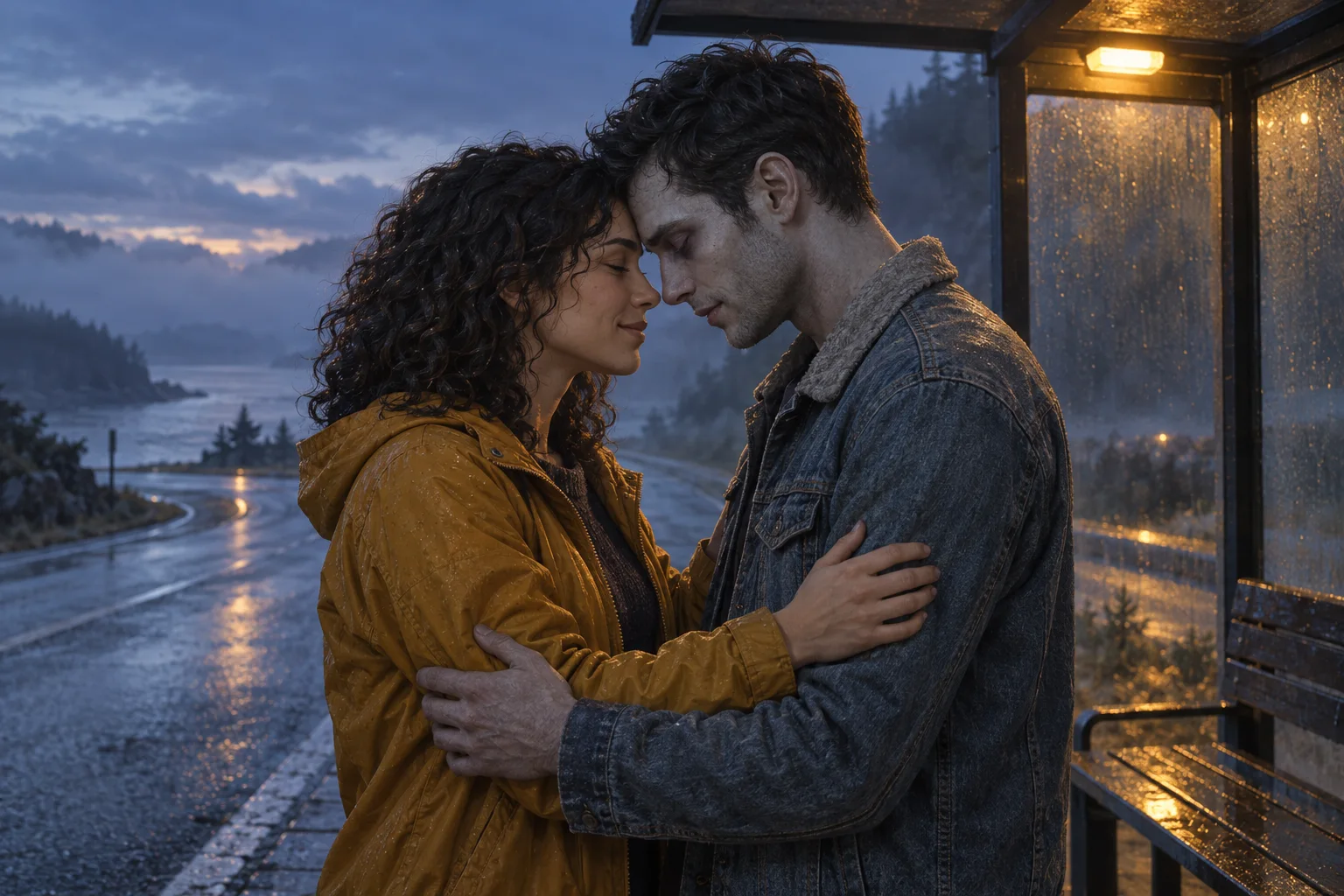
Original concept illustration of two fictional adults sharing a tender zombie reunion at a roadside shelter
Original AI concept artwork of fictional adults. Your generated video will vary.

Zombie Couple Video

Turn your photos into a tender undead reunion. Choose a scene and write the moment that brings you together.

Give your reunion a beginning

Choose one small moment, add reference photos if you want, and edit the prompt. Describe who remains human and who becomes the zombie.

A familiar face returns changed. A short hesitation gives way to a careful embrace.

Cost: 12 credits

Starting preset: Seedance 2 Mini, 8 seconds, 720p, 9:16. Adjust supported settings in the studio.

Audio starts off. Review the available audio setting or add licensed sound in your editor.

Video generation uses account credits. Review the estimate shown before submitting. View plans and credits ↗

Two faces. Clear roles.

Choose photos that make each adult easy to recognize. State each person’s appearance and role in the prompt.

Use photos of adults who agree to appear. Check the uploader’s limits, and keep hands and faces easy to distinguish.

One shared photo
Use a clear couple portrait with both faces visible and space between their upper bodies. Describe who is on the left and right.
Two separate portraits
Choose similar lighting and a clear front or three-quarter view. Identify each person by clothing or appearance in the prompt.
Write the roles into your brief
For example: Person A, in the light jacket, remains human. Person B, in the dark shirt, has subtle pale zombie makeup. You can reverse these roles.

Choose the moment, then make it yours

Use these original prompts as a starting point. Describe your two characters and keep the action focused.

The reunion

A familiar face returns changed. A short hesitation gives way to a careful embrace.

Create an original fictional zombie couple reunion with two adults. If reference photos are supplied, use them to guide the two people’s appearance and clothing. Person A remains human; person B has subtle pale zombie makeup and shadowed eyes, with intact skin. At a quiet roadside shelter after rain, they stand one small step apart. Person A studies the familiar face, relaxes, and gently closes the distance for a simple embrace. Person B calmly returns the hug. End with them holding still, both faces readable. A slow chest-height camera push, cool evening light and one warm shelter lamp. Keep the two identities distinct and the hand placement simple. No other people, rapid cuts, attacks, injuries, text, logos or watermark.

A familiar hand

Two people sit beside each other. One reaches out, and the other gently takes their hand.

Create a quiet fictional zombie love story with two adult partners seated side by side on a plain bench. Use uploaded references to guide appearance if provided. Person A is human; person B has restrained pale zombie styling, darkened eye shadows and intact skin. Person A notices person B beside them, slowly places one open hand between them, and person B gently takes it. Hold the final shared hand position while their expressions soften. Use one steady medium shot that keeps both faces and the hands visible. Muted blue-grey evening, soft warm light on their faces, simple uncrowded background. Keep their identities and clothing separate and avoid complex finger movements. No extra characters, fast camera motion, attacks, blood, letters, logos or watermark.

One last dance

A human and their changed partner share a slow sway, with faces and hands kept in view.

Create an original fictional romantic zombie couple scene with two adults in an empty courtyard at dusk. Use any supplied photos to guide their faces and clothing. Person A remains human; person B has subtle pale zombie makeup and shadowed eyes, with intact skin. They face each other with one hand gently resting on a shoulder and the other pair of hands loosely joined. Make them sway slowly together without a full spin, staying close and looking at each other. Keep both faces visible and finish on a still tender pose. One stable waist-up shot, cool twilight and a single warm window light, simple background, natural arms and hands. Preserve the distinction between the two people. No extra dancers, quick cuts, aggressive movement, wounds, text, logos or watermark.

For a memory or flashback, create a separate scene and join the clips in your editor. One short clip works best with one main action.

How to make a zombie couple video

Build around recognition, a simple gesture and a quiet final moment.

Choose your characters

Add a clear couple photo or portraits

Use your own authorized references, or describe two fictional adults. Make the human and zombie roles clear in your prompt.

Shape one moment

Pick a scene and edit the action

Try a reunion, handhold or slow dance. Keep the camera steady, review the supported settings and check the credit estimate before generating.

Review the connection

Check the faces, hands and final pose

Watch the complete result before downloading. Refine crowded movements, then add any exact captions, a flashback or licensed sound in your editor.

What makes a zombie couple video work?

This is a fictional love story built around recognizing someone after a frightening change. Give the reunion room to unfold.

Let recognition read clearly
A familiar face or item of clothing can connect the two characters. Give them a brief pause before they move closer.
Choose one readable gesture
A hand on a sleeve or a gentle embrace is easier to follow than a crowded action sequence.
Hold the last moment
A short final pause gives the expression time to land. Add memories as separate clips when the story needs more space.

Zombie couple video questions

What is a zombie couple video?

It is an AI-created fictional love story in which a human recognizes their zombie-transformed partner. A quiet reunion, handhold or embrace gives the scene its emotional turn.

Can I use one couple photo or two portraits?

You can add a clear shared photo or separate reference portraits in the studio. Follow the selected model’s upload limits. Describe each person’s appearance and role rather than relying only on upload order.

How do I choose who becomes the zombie?

Write the roles into the prompt. Identify the person who remains human and the person with zombie styling using clothing, appearance or their position in a shared photo. Review the result, since AI can mix details.

Can I start without uploading photos?

Yes. Describe two fictional adult characters and one simple scene. Reference photos are optional and can guide appearance when you want a more personal story.

Will the faces, hug and movement match exactly?

References guide the result, but identity, hands, timing and contact can vary. Begin with a small movement and review the full clip. The artwork on this page is an original concept illustration, not a generated video result.

How long is the video and what does it cost?

The starting preset is Seedance 2 Mini at 8 seconds, 720p and 9:16, with audio off. You can adjust supported settings. Generation uses account credits; check the current estimate before submitting.

Can I add a flashback, captions or music?

Create a memory as a separate clip and assemble it with the reunion in your editor. Add precise captions and licensed music there, or review the model’s audio option. This page does not include a fixed soundtrack.

Can I add a reference video?

The studio offers optional reference video uploads within the selected model’s limits. Use a reference to suggest a small movement or camera direction, then describe the two characters and the scene in your own prompt.

A changed face. A familiar connection.

Choose the gesture you want to keep and begin your own zombie love story.