
AI Zombie Video Generator

A familiar face after the end of the world. Turn your photos into a zombie story with an editable prompt.

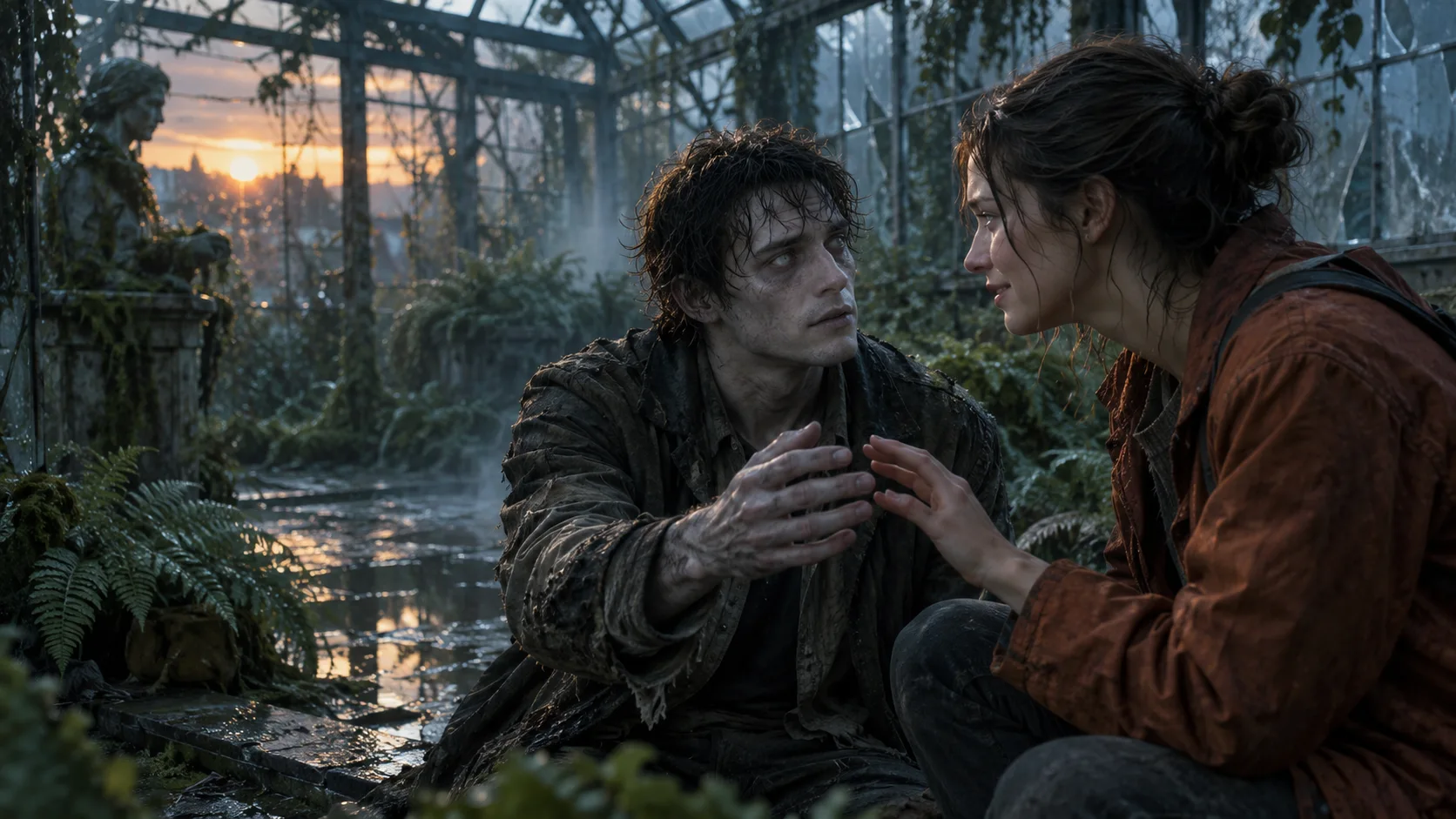
Original AI concept illustration of a human and a gentle zombie recognizing each other in an abandoned greenhouse
Original AI concept artwork for this page. The video studio below creates a new clip from your own references.

Choose the story you want to tell

Start with a reunion, a transformation or a pet story. Then edit the prompt and add your reference photos.

Starting preset: Seedance 2 Mini, 8 seconds, 16:9, 720p. Adjust the available settings before generating.

Audio starts off. Add licensed music in your editor, or review the model’s audio option in the studio.

The credit estimate changes with your chosen model and settings.

See plans and credits ↗
Cost: 12 credits

The AI zombie trend is a story of recognition

One creative direction is the zombie love story: a cold encounter turns into an embrace, then a warmer memory. Shape those beats around your own characters.

  1. 01

    Recognition

    A familiar expression or gesture makes the survivor stop and look again.

  2. 02

    The zombie hug

    Replace the expected scare with a simple approach and a gentle embrace.

  3. 03

    The memory

    A change of light or an edit carries the same people into a happier scene.

For a longer story, make the encounter and the memory as separate clips using the same references, then join them in your editor.

AI zombie prompts with room for your ideas

The starters below are editable creative directions. Use one action per shot, describe the cast clearly and let the generator show the actual settings.

01

Zombie love story

Two familiar faces, one tender encounter. Describe who stays human and who returns as a zombie.

Create a tender cinematic AI zombie reunion using the uploaded reference photos. Reference 1 is the human survivor, reference 2 is the returning loved one with subtle pale zombie makeup and clouded eyes. In a rain-damp abandoned greenhouse at dusk, the survivor recognizes their familiar expression. They approach slowly and share a gentle hug. Preserve distinct faces and clothing as consistently as possible, with natural hands and anatomy. Medium-wide framing, restrained camera movement, cool mist with a warm shaft of sunset. No attack, weapons, blood, gore, text or logos.

02

Zombie transformation

Keep one face in focus. Use a slow turn, pale skin and subtle makeup to build the uncanny moment.

Create an atmospheric AI zombie transformation portrait using the person in reference photo 1. Keep their face, hairstyle and clothing recognizable. In a quiet abandoned subway entrance, they slowly turn toward the camera as their skin becomes subtly pale and their eyes slightly clouded, like restrained film makeup. Keep their expression calm and their anatomy natural. Chest-up shot, a slow camera push, soft blue-gray light and realistic fabric texture. One person only. No wounds, blood, gore, attack, weapons, text or logos.

03

Zombie pet reunion

A dog or cat finds its person again. Keep the greeting simple and the pet easy to recognize.

Create a gentle zombie pet reunion using reference photo 1 for the owner and reference photo 2 for the dog or cat. In an overgrown garden at dawn, the pet appears with subtly dusty, pale fur and softly clouded eyes while keeping its breed and markings recognizable. The owner kneels and the pet approaches for a calm nose-to-hand greeting. Natural animal anatomy, consistent owner identity, medium-wide shot, soft mist and hopeful morning light. No jumping attack, injury, blood, gore, weapons, text or logos.

How to make an AI zombie video from photos

Use the existing photo-to-video workflow, with your story in the prompt.

Cast

Add clear reference photos

Sign in and upload one photo per subject. Use even lighting and visible faces. For a pet, choose an image that clearly shows its face and body.

Direct

Edit your AI zombie prompt

Choose a direction, name the roles, and describe the setting, expression and camera movement. Keep the action simple and review the credit estimate.

Finish

Review the clip and finish your edit

Generate through the studio, review the completed result and download it. Join additional clips and add licensed sound or captions in your editor.

A zombie filter, or a zombie short film?

An AI zombie image changes the look of a character. A video adds movement, timing and a relationship between shots. This page focuses on the photo-to-video workflow, including zombie love stories, transformations and pet reunions.

The photo tips that matter

  • One subject per image, with a recognizable face.
  • Name each subject’s role in the prompt.
  • Keep the makeup, movement and camera direction simple.
  • Use references you have permission to use.

AI Zombie questions, answered

What is AI Zombie?

AI Zombie describes AI-created zombie characters, effects and short videos. A zombie love story or zombie hug is one variation: recognition and a reunion turn a tense scene into a warm memory.

How do I make an AI zombie love story?

Choose Zombie love story, upload references for the human and returning character, and describe a simple reunion. For a longer memory sequence, use the same references for a second clip and combine the results in an editor.

Can I make a zombie video with my dog or cat?

Try the pet reunion starter and add suitable owner and pet references. Describe the animal’s markings and one simple greeting. Likeness, anatomy and motion can vary in the result.

Will the faces and shots match a viral clip exactly?

The studio generates a new video from your prompt and references. Face consistency, movement, camera cuts and lighting can vary, so an exact replacement or frame-for-frame match is not promised.

How long is the video, and what does it cost?

The initial preset is Seedance 2 Mini at 8 seconds, 720p and 16:9. You can change supported settings in the studio. Generation uses your existing account credits; review the live estimate before submitting.

Is the zombie trend song included?

No specific song is supplied. Audio generation starts off; you can review the model’s audio option or add music you are licensed to use in your social app or editor.

Can I edit the zombie prompt or upload a reference video?

Yes. All three starter prompts are editable, and the existing video component offers optional reference video uploads. Follow the limits shown for your selected model.

Is the main image a generated video example?

It is an original AI concept illustration made for this page. It explains the mood of the story; it is not a sample video or a guarantee of the generator’s output.

Give the ending your own meaning

Choose a face, a scene and one moment worth remembering.